56+
Coretrixs in numbers
Every customer. Every invoice.
32,000+
Invoices created
24/7
Cloud Access
Encrypted Data
The everyday workflow
From quote to invoice, without the clutter.
Coretrixs brings the details you need into a clear, familiar process.
01
Set up your records
Add customers and the items or services you bill for.
02
Create your documents
Prepare quotations and invoices with item and tax details in one view.
03
Stay informed
Record expenses and review invoice summaries and reports.
A closer look
See how Coretrixs works.
Switch between real app screens to explore the workflow before choosing a package.
Simple document creation
Clear totals and details
Useful business reports
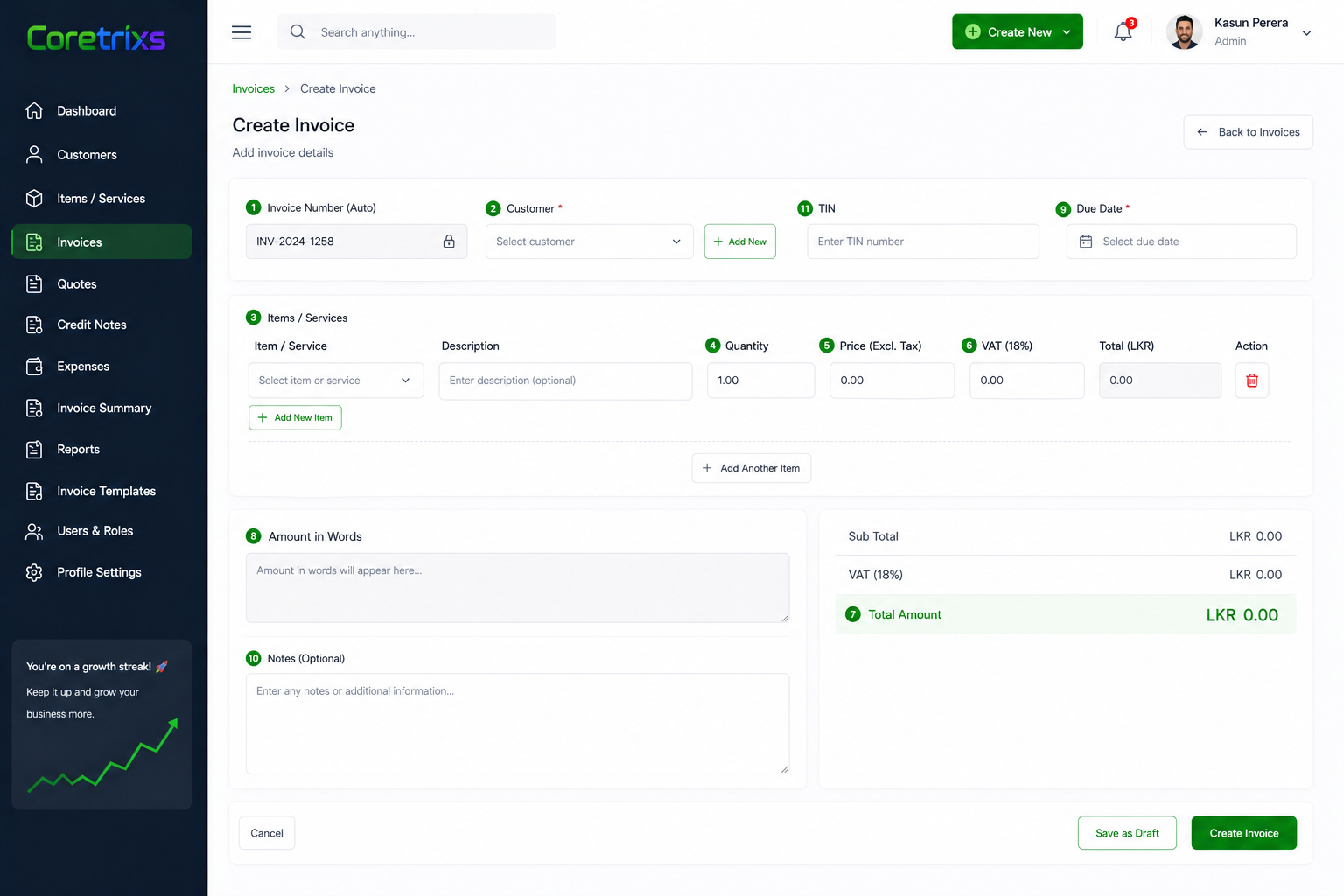
Create an invoice with customer, item, VAT and total details.
All in one place
The tools behind your daily work.
Invoices & quotes
Create documents with clear line items and totals.
Customers & services
Keep the information you use often organised.
Credit notes
Manage adjustments in the same workspace.
Expenses
Record costs alongside your billing activity.
Reports
See summaries that help you understand activity.
Users & roles
Organise access for different team members.
Packages
Find your fit.
Choose from Free, Standard, Pro and Enterprise to suit your business.
Common questions
A little clarity before you start.
What does Coretrixs help me manage?
Coretrixs brings invoices, quotations, customers, items and services, credit notes, expenses and reports into one workspace. Check your selected package for its included features.
How do I choose a package?
Explore Free, Standard, Pro and Enterprise above. Select a package card to view its complete published feature list.
Can I preview the software?
Yes. The “Inside Coretrixs” section shows invoice creation, quotations, invoice formats and reports. Select a tab to view its screen preview.
Where can I find the latest package details?
The package cards show the latest published prices, descriptions and included features.